

Join in a minute, play right away

Bonus terms & conditions apply.
Spinboss Casino Registration: How to Open an Account
Top slots this week
 Top slots this week





What you need before starting registration
Before opening an account with Spinboss Casino, make sure you are at least 18. Age verification procedures apply to every registration. You will also need a working email address, although a phone number can be used instead, plus a password and your preferred currency.
Have your full name and date of birth to hand. Enter these details carefully. The name and date of birth on your account should match your official identification documents, as you will need to complete verification before making your first withdrawal.
Take a moment over your details
A quick check before submitting can save time later. Spelling mistakes or information that does not match your documents may hold up the verification stage.
Spinboss Casino registration in five simple steps
Registration is completed online from the sign-up button on the homepage. The account is active immediately after you submit the form, while email confirmation and identity checks help complete the account setup.
- Open the registration form
Select the sign-up button from the homepage. Before entering your details, check that your country is accepted for registration.
- Enter your personal information
Provide your full name, email address or phone number, date of birth, preferred currency and a password. Use your real details rather than a nickname.
- Check everything carefully
Review your name and date of birth, making sure they match your official ID documents. It is worth checking your contact details too, so the confirmation message reaches you.
- Accept the terms
Submit the form after reviewing the entered information and accepting the terms and conditions.
- Confirm and prepare for verification
Use the verification link sent by email to confirm the account. Before requesting a withdrawal, upload your photo ID, proof of payment and proof of address through the automated verification system in your player profile.
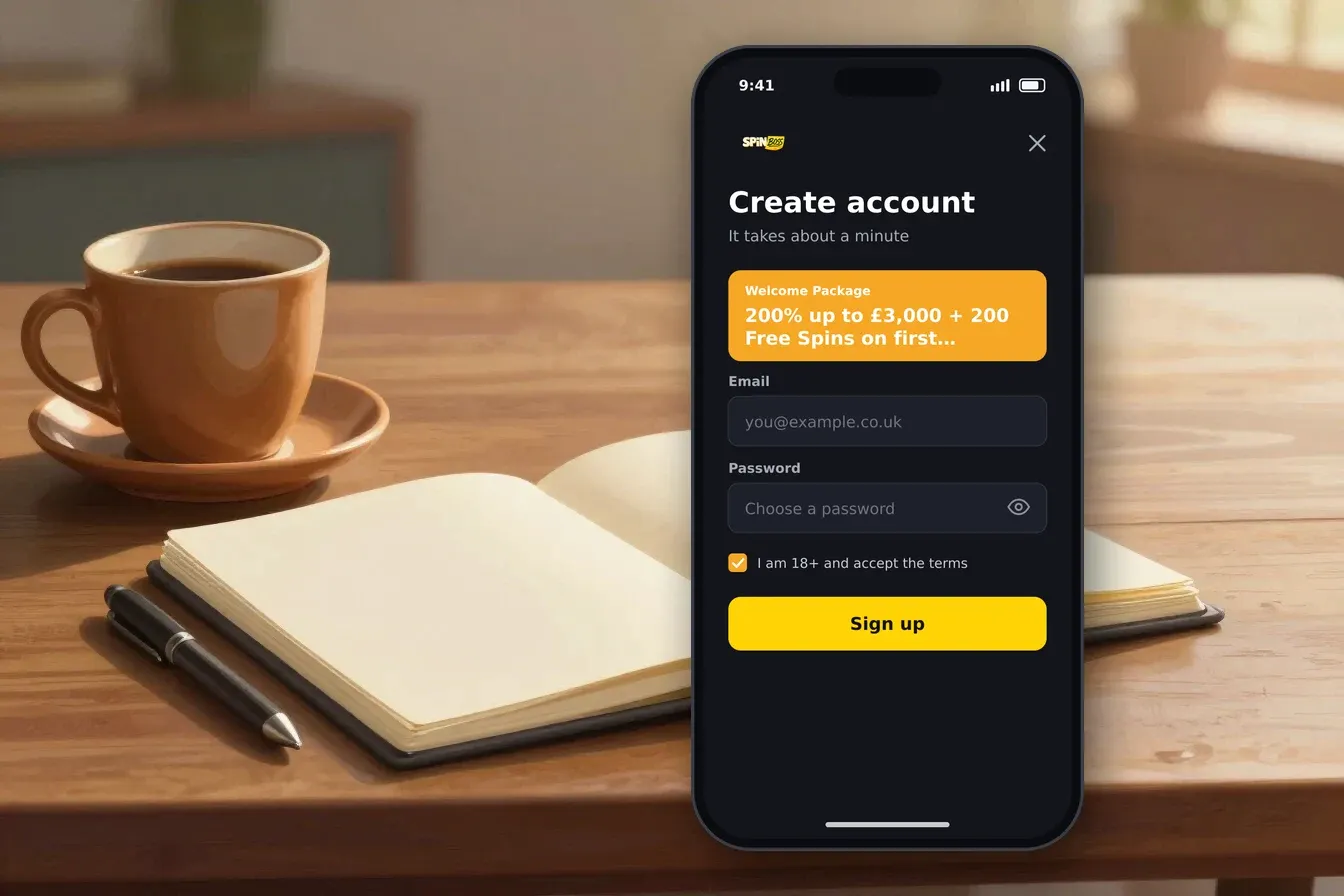
That is the full sign-up route. You do not need to add a promotional code during registration. If you later choose a promotion, the relevant offer is selected in the cashier when making a qualifying deposit.
Verification after registration: the documents and timing
Account verification is part of the registration journey, particularly before your first withdrawal. Spinboss Casino uses an automated system in the player profile for document uploads. You need to provide a photo ID, proof of payment and proof of address.
| Document | Why it is requested | When it matters |
|---|---|---|
| Photo ID | Confirms your identity and age | Before the first withdrawal |
| Proof of payment | Links your payment activity to your account | Before the first withdrawal |
| Proof of address | Confirms your residential details | Before the first withdrawal |
The document review takes up to 48 hours. To keep things moving, upload clear documents and make sure the information agrees with what you entered during registration. The account should use your own details and payment activity.
Verification comes before your first withdrawal
You can complete registration and activate the account first, but photo ID, proof of payment and proof of address must be uploaded before requesting a first withdrawal.
The platform applies SSL encryption across the site, and a secure payment processor is used for deposits. These measures sit alongside age verification and the account checks described above.
Account choices and safer registration habits
Registration is also a good time to decide how you want to manage your account. Deposit limits, session limits and cooling-off periods are available through account settings, and changes can also be arranged with the support team.
- Choose a deposit limit before you start playing.
- Use session limits if you want a clear boundary around playing time.
- Use a cooling-off period when you want a break.
- Keep your account details accurate and up to date.
- Only use payment activity that belongs to you.
- Treat casino play as entertainment with real financial risk.
If you decide to stop using the account, closure and self-exclusion can be arranged by contacting support. Once self-exclusion is active, a new account cannot be created.
Support is available through live chat 24 hours a day, seven days a week. You enter your name and email before connecting, and the queue position is displayed. Email support is available too, with replies typically arriving the same day.
Ready to create your account?
Keep your personal details and ID information close by, then work through the form one field at a time.
Registration details worth checking before you submit
A final review is simple, but it helps avoid avoidable delays. Check the spelling of your name, your date of birth and your contact details. Make sure you can access the email account or phone number used for confirmation.
| Registration point | What applies |
|---|---|
| Minimum age | 18 |
| Estimated registration time | Under 3 minutes |
| Account activation | Immediate after submitting |
| Contact detail | Email address or phone number |
| Confirmation | Verification link sent by email |
| First-withdrawal checks | Photo ID, proof of payment and proof of address |
Spinboss Casino is operated by Casolinia Group and was established in 2026. Its stated licences are an Anjouan gaming licence and a Costa Rica gaming licence. These details form part of the account information you may want to review before signing up.
Once the form is submitted, keep your registration details secure and do not share your password. If you need help with verification, account closure or safer gambling tools, live chat and email support are available.
Registration: questions and answers
How long does Spinboss Casino registration take?
Registration takes under three minutes. The account is active immediately after you submit the form.
What details are needed to register?
You enter your full name, email address or phone number, date of birth, preferred currency and a password. You also need to accept the terms and conditions.
Is email confirmation required?
Yes. A verification link is sent by email, and you use it to confirm the account after submitting the registration form.
When do I need to verify my identity?
Verification is required before your first withdrawal. You upload photo ID, proof of payment and proof of address through the automated system in your player profile.
How long can document verification take?
The document review takes up to 48 hours.
Can I use a phone number instead of an email address?
Yes. The registration form accepts a phone number in place of an email address, although the account confirmation process uses a verification link sent by email.
What is the minimum age for registration?
You must be at least 18 to register. Age verification procedures apply.
How can I close my account?
Account closure and self-exclusion are arranged by contacting support. Once self-exclusion is active, a new account cannot be created.